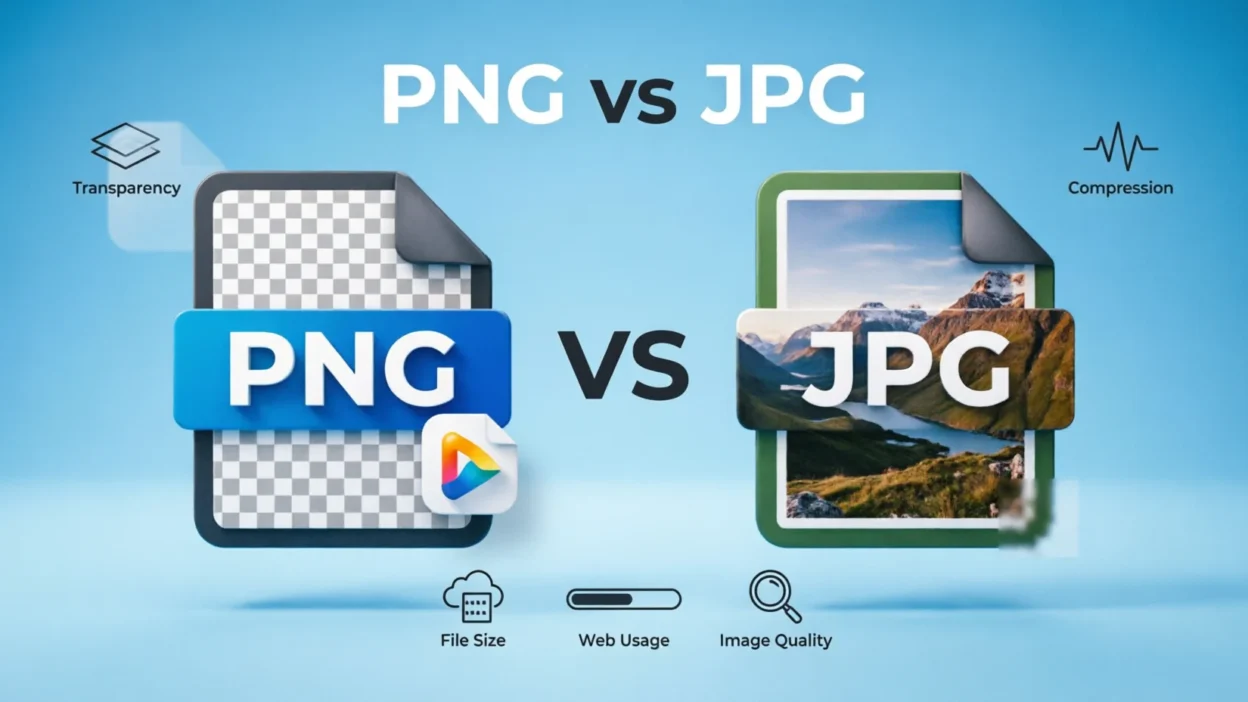
When saving or sharing an image, you may wonder whether PNG or JPG is the better choice. The answer depends on what you need the image for. PNG is usually better for graphics, logos, screenshots, text, and images that need transparency, while JPG (or JPEG) is generally better for photographs and other images where a smaller file size is important.
Both PNG and JPG are common image file formats, but they work differently. PNG uses lossless compression, which preserves image data and sharp details. JPG uses lossy compression, which reduces file size by removing some image information. Understanding this difference can help you choose the right format for websites, social media, photography, documents, and everyday image storage.
Quick Answer
PNG is best for logos, illustrations, screenshots, text, and transparent backgrounds because it preserves image quality. JPG is best for photographs and large images because it creates much smaller files. Choose PNG when quality and transparency matter most; choose JPG when smaller file size and easy sharing matter more.
Why People Confuse PNG and JPG
PNG and JPG are both widely supported image formats, so they can seem interchangeable. You can use either format to save many types of images, but they are designed with different priorities.
The main difference is compression:
- PNG: Uses lossless compression.
- JPG: Uses lossy compression.
- PNG: Supports transparent backgrounds.
- JPG: Does not support transparency.
- PNG: Usually creates larger files.
- JPG: Usually creates smaller files.
For example, a detailed photograph may look almost identical as a high-quality JPG while taking considerably less storage space. On the other hand, a logo with sharp text and a transparent background is generally better suited to PNG.
What Is PNG?
PNG stands for Portable Network Graphics. It is an image format designed to preserve image information while reducing file size through lossless compression.
A PNG can be saved and edited repeatedly without the same type of cumulative quality loss associated with JPG compression.
PNG is especially useful for:
- Logos
- Icons
- Screenshots
- Digital illustrations
- Charts and diagrams
- Images containing text
- Transparent graphics
- Web graphics requiring clean edges
One of PNG’s most useful features is transparency. A PNG can have a transparent background, allowing a logo or graphic to appear naturally over different backgrounds.
PNG Example
Imagine you have a company logo consisting of black text and a simple symbol. Saving it as PNG can preserve the crisp edges and allow the background to remain transparent.
What Is JPG?
JPG, also written as JPEG, stands for Joint Photographic Experts Group. It is a popular image format that uses lossy compression to reduce file size.
JPG is particularly effective for photographs because photographs contain many colors and gradual changes in tone. Compression can significantly reduce the file size while maintaining acceptable visual quality at appropriate settings.
JPG is commonly used for:
- Digital photographs
- Travel pictures
- Product photographs
- Blog images
- Social media photos
- Email attachments
- General-purpose web images
The main trade-off is that JPG compression can permanently remove some image information.
JPG Example
Suppose you take a high-resolution vacation photograph. Saving the original as a JPG can make it much easier to upload, email, or store while keeping the photo visually clear.
PNG vs JPG: Comparison Table
| Feature | PNG | JPG/JPEG |
| Compression | Lossless | Lossy |
| Transparency | Yes | No |
| Typical file size | Larger | Smaller |
| Best for | Graphics and screenshots | Photographs |
| Text and sharp edges | Excellent | Can show compression artifacts |
| Repeated editing | Better suited | Can gradually lose quality |
| Photo storage | Often less efficient | Very efficient |
| File extension | .png | .jpg or .jpeg |
| Color support | Broad color support | Broad color support |
| Background transparency | Supported | Not supported |
When Should You Use PNG?
Choose PNG when preserving sharp details is more important than minimizing file size.
PNG is a strong choice for:
- Logos — especially when you need transparency.
- Screenshots — text and interface elements remain crisp.
- Icons — clean edges are important.
- Digital artwork — especially graphics with solid colors.
- Charts and diagrams — small details and labels need to remain clear.
- Transparent graphics — PNG supports transparent pixels.
For example, a screenshot containing small text may become blurry or develop compression artifacts when saved repeatedly as a heavily compressed JPG. PNG is usually more appropriate.
When Should You Use JPG?
Choose JPG when you primarily need a reasonably high-quality image with a smaller file size.
JPG works particularly well for:
- Photographs
- Travel pictures
- Portraits
- Landscape photography
- Product photos
- Large photo collections
- Images being uploaded where file size matters
If you are sending dozens of photographs, JPG can save considerable storage space compared with uncompressed or less efficiently compressed alternatives.
10+ PNG vs JPG Examples
Here are practical examples to make the difference easier to understand:
- Company logo: PNG is usually preferable, especially if transparency is needed.
- Vacation photograph: JPG is usually the practical choice.
- Website screenshot: PNG is often better because of text and sharp interface elements.
- Instagram-style photograph: JPG can work well for photographic content.
- Transparent product graphic: PNG is preferable.
- Digital illustration: PNG can preserve sharp shapes and edges.
- Large collection of family photos: JPG can reduce storage requirements.
- Infographic with small text: PNG is often preferable.
- Photographic website banner: JPG may be appropriate when a smaller file is desired.
- Simple icon with transparency: PNG is a natural choice.
- Scanned document containing lots of text: PNG can preserve sharp text, although PDF may be more suitable for the complete document.
- High-quality photograph for editing: JPG can be used, but a camera’s RAW format is generally more appropriate when maximum editing flexibility is required.
Common Mistakes
Using JPG for Transparent Images
JPG does not support transparency. If you need an image without a solid background, PNG is generally the better choice.
Using PNG for Every Photograph
PNG can create unnecessarily large files when used for ordinary photographs. If storage or upload speed matters, JPG is often more practical.
Thinking JPG Always Means Poor Quality
JPG compression does reduce some image information, but the visible result can still be excellent when an appropriate quality setting is used.
Renaming the File Extension
Changing photo.jpg to photo.png does not actually convert the image. The image must be properly converted using image-editing or conversion software.
Repeatedly Saving a JPG
Repeated editing and resaving of a JPG can introduce additional compression losses. Keeping an original copy can help preserve the source image.
Memory Trick
A simple way to remember the difference is:
PNG = Preserve.
Think of PNG when you want to preserve sharp graphics, text, or transparency.
JPG = Photos.
Think of JPG when you are working mainly with photographs and want a smaller file.
This is not an absolute rule, but it is a useful starting point.
American vs British English
There is no major American-versus-British spelling difference between PNG and JPG.
The format is commonly called PNG in both varieties of English. JPG and JPEG are also used internationally.
You may see:
- PNG file
- JPG file
- JPEG image
- PNG image
- JPG photo
JPG and JPEG refer to the same image format. The .jpg extension became common partly because older systems used shorter filename extensions.
Similar Words
Some related image-format terms can also cause confusion:
- PNG: A lossless image format that supports transparency.
- JPG/JPEG: A lossy image format commonly used for photographs.
- GIF: An image format commonly associated with simple animations and limited-color graphics.
- WebP: A modern image format that can provide efficient compression and supports transparency.
- SVG: A vector format commonly used for scalable graphics such as logos and icons.
- RAW: Camera image data designed to retain extensive information for photographic editing.
These formats are not simply interchangeable. The best choice depends on the image and how you plan to use it.
Final Verdict
If you need transparency, sharp text, clean edges, or lossless image storage, choose PNG. It is particularly useful for logos, screenshots, illustrations, diagrams, and interface graphics.
If you need a smaller file for a photograph, choose JPG/JPEG. It is widely used for photos because its compression can greatly reduce file size while maintaining good visual quality.
So, the choice is not really about which format is universally better. It is about what the image contains and what you need to do with it.
FAQs:
Is PNG better than JPG?
Neither format is universally better. PNG is generally better for graphics, transparency, screenshots, and sharp text, while JPG is generally more suitable for photographs and smaller file sizes.
Is JPG or PNG better for photos?
JPG is usually the more practical choice for photographs because it can significantly reduce file size while maintaining good visual quality.
Is PNG higher quality than JPG?
PNG uses lossless compression, so it preserves image data. JPG uses lossy compression, meaning some information is discarded. However, a high-quality JPG photograph can still look excellent.
Can PNG have a transparent background?
Yes. PNG supports transparency, making it useful for logos, icons, overlays, and graphics that need to appear over different backgrounds.
Can JPG have a transparent background?
No. JPG does not support transparency. A transparent image generally needs to be saved in a format such as PNG.
Are JPG and JPEG the same?
Yes. JPG and JPEG refer to the same basic image format. The difference is primarily in the file extension used.
Which is smaller, PNG or JPG?
JPG is usually smaller than PNG for photographs. However, actual file size depends on the image, compression settings, dimensions, and content.
Should I use PNG or JPG for a website?
It depends on the image. PNG can be useful for logos, screenshots, and transparent graphics, while JPG can be useful for photographs where reducing file size is important.
Remember This
PNG = lossless + transparency + graphics.
JPG = smaller files + photographs + lossy compression.
When the image contains text, sharp edges, or transparency, consider PNG. When the image is primarily a photograph and file size matters, JPG is usually the practical choice.
Conclusion
PNG and JPG are both useful image formats, but they solve different problems. PNG focuses on preserving image information and supporting transparency, which makes it useful for graphics, screenshots, logos, and illustrations. JPG focuses on efficient compression, making it especially useful for photographs and other images where smaller files are valuable.
The easiest approach is to look at the image before choosing the format. For a transparent logo or screenshot, PNG is often appropriate. For a photograph that needs to be stored or shared efficiently, JPG is usually a better fit. Choosing the right format can help you balance image quality, transparency, storage space, and sharing convenience.

John Morrison is a dedicated content writer at Synomity.com, focused on synonyms, vocabulary development, and word meanings. He creates clear, educational resources that help readers improve language skills and communicate with confidence.